Water bodies detection based on NDWI and otsu threshold v2.0.0
Water bodies detection based on NDWI and otsu threshold applied to Sentinel-2 COG STAC items
This software is licensed under the terms of the Creative Commons Attribution-ShareAlike 4.0 International license - SPDX short identifier: CC-BY-SA-4.0
2022-09-01 - 2026-10-10T21:46:39.133 Copyright EO Application Packaging - > https://github.com/eoap
Project Team
Authors
| Name | Organization | Role | Identifier | |
|---|---|---|---|---|
| Doe, Jane | jane.doe@acme.earth | ACME | N/A | None |
| Doe, John | john.doe@acme.earth | ACME | N/A | None |
Contributors
The are no contributors for this project.
Mastering Earth Observation Application Packaging with CWL
Mastering Earth Observation Application Packaging with CWL can be found on https://eoap.github.io/mastering-app-package.
Runtime environment
Supported Operating Systems
The are no Supported Operating Systems specified for this project.
Requirements
water-bodies
CWL Class
Requirements
Inputs
| Id | Type | Label | Doc |
|---|---|---|---|
aoi |
Polygon: | area of interest | GeoJSON Polygon defining the area to crop; raster pixels outside the polygon are masked. |
epsg |
enum:
|
EPSG code | EPSG code |
stac_items |
array of URI:
|
Sentinel-2 STAC items | list of Sentinel-2 COG STAC items |
bands |
array of enum:
|
bands used for the NDWI | bands used for the NDWI |
Steps
| Id | Runs | Label | Doc |
|---|---|---|---|
| node_water_bodies | #detect_water_body |
Process acquisitions | Run water body detection for each input STAC item. |
| node_stac | #stac |
Catalog results | Create a STAC catalog describing the detected water bodies. |
Outputs
| Id | Type | Label | Doc |
|---|---|---|---|
stac_catalog |
Directory | Results STAC catalog | Directory containing the results STAC catalog and its referenced raster assets. |
OGC API - Processes
When water-bodies Workflow is exposed through OGC API - Processes - Part 1: Core, inputs and outputs fields below represent the interface of the getProcessDescription API.
Inputs
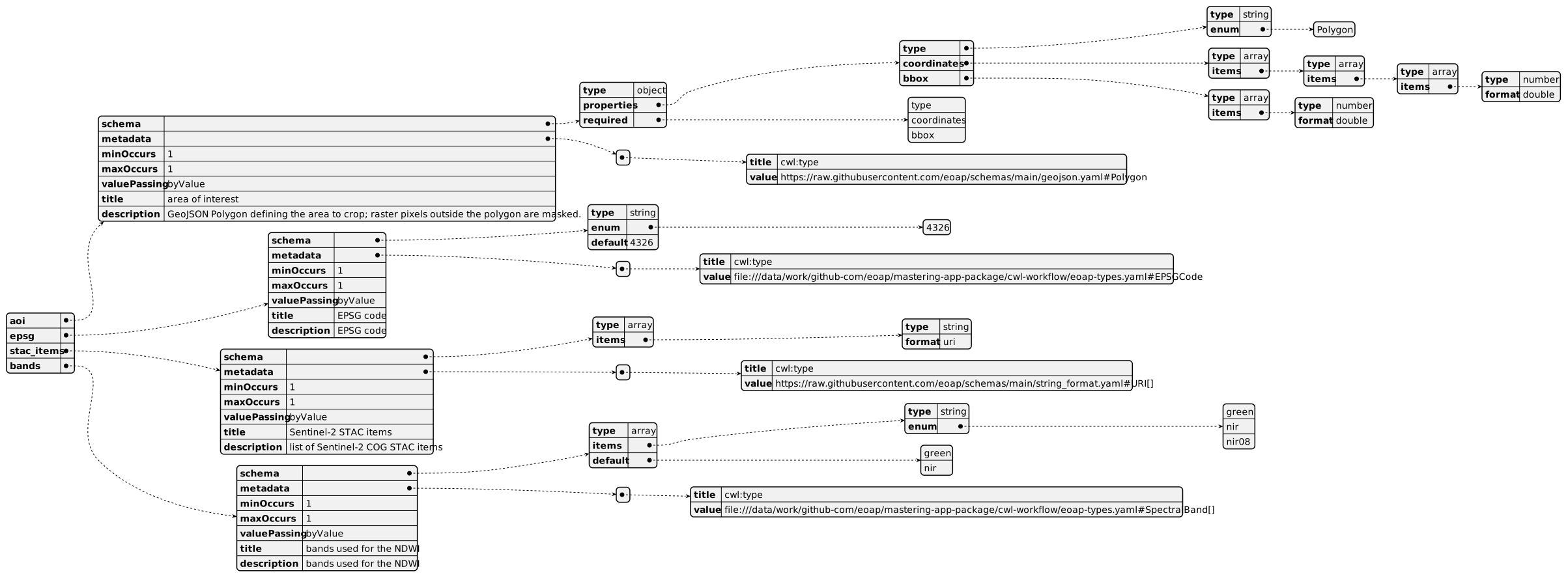
Outputs

UML Diagrams
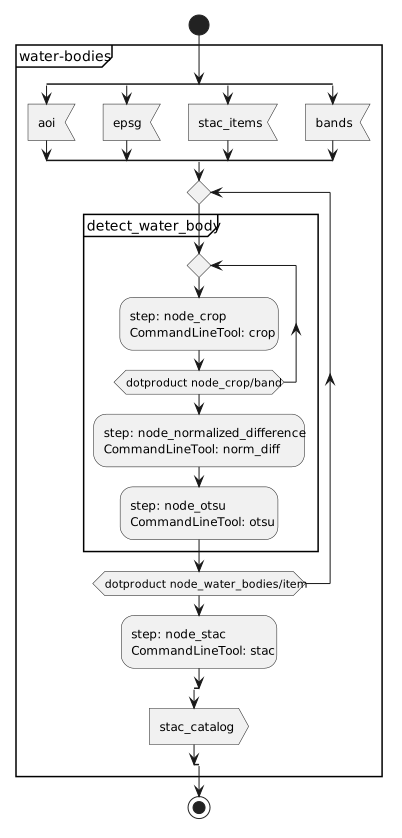
Activity diagram
Learn more about the Activity diagram below.
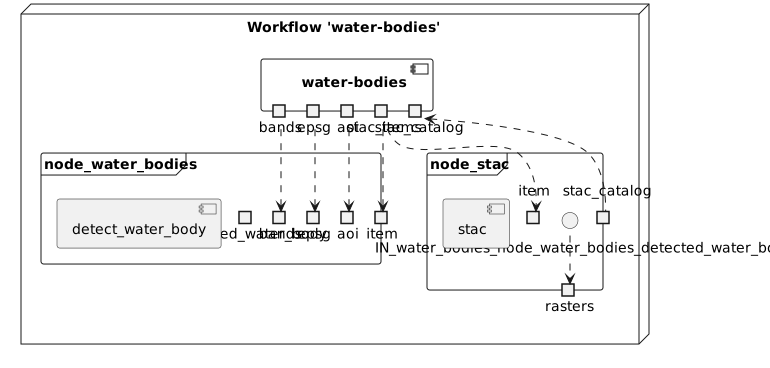
Component diagram
Learn more about the Component diagram below.
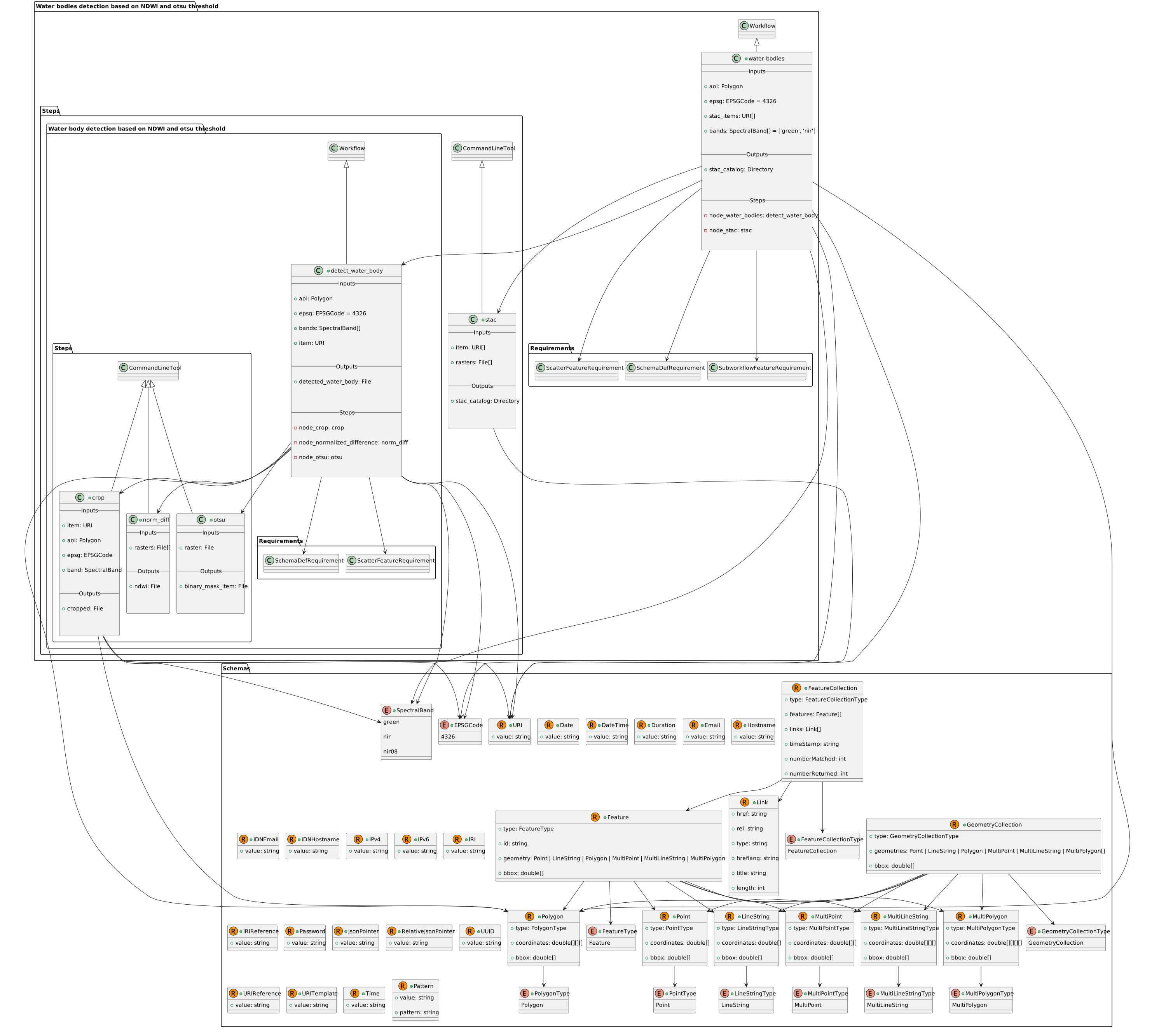
Class diagram
Learn more about the Class diagram below.
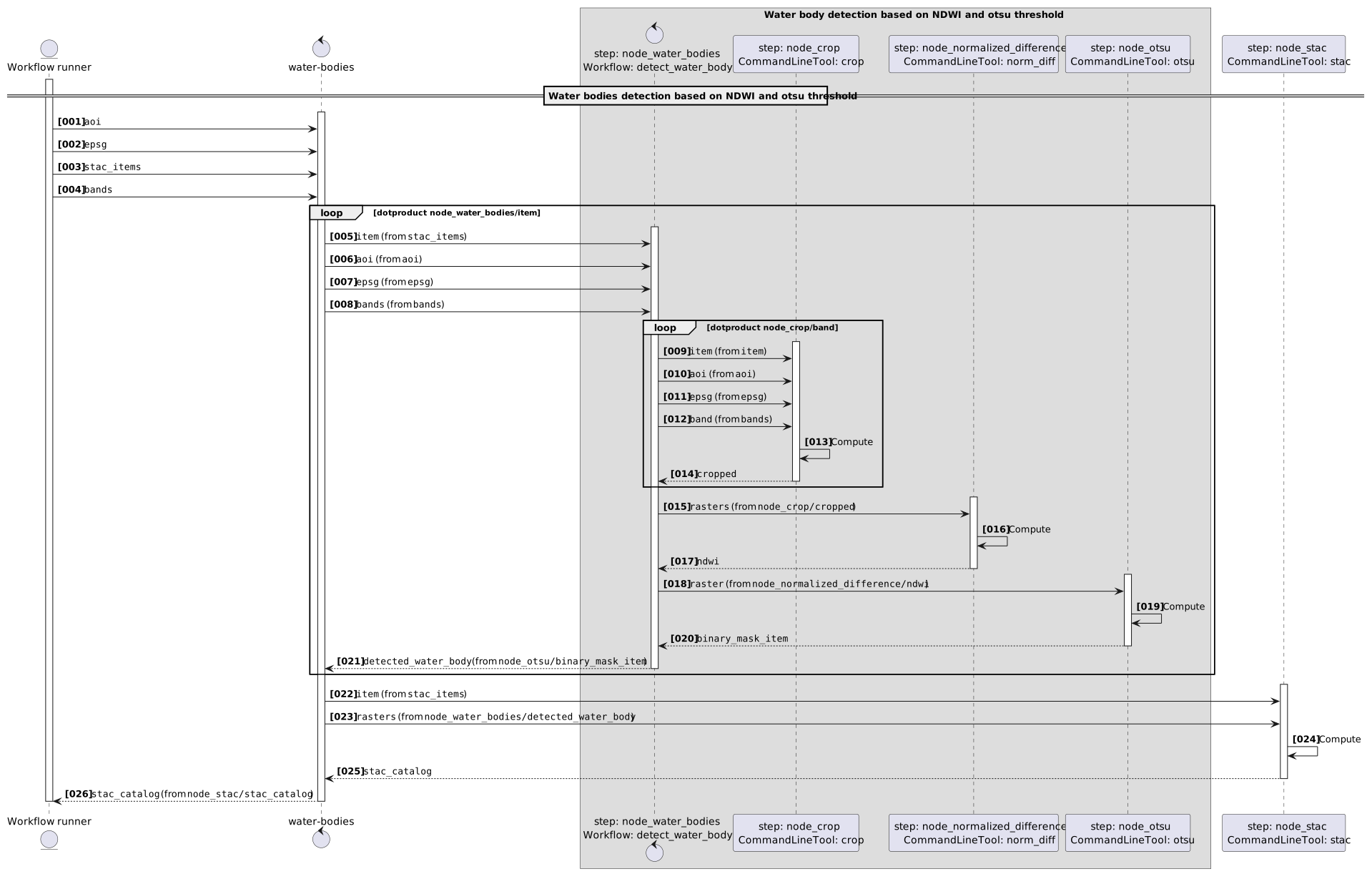
Sequence diagram
Learn more about the Sequence diagram below.
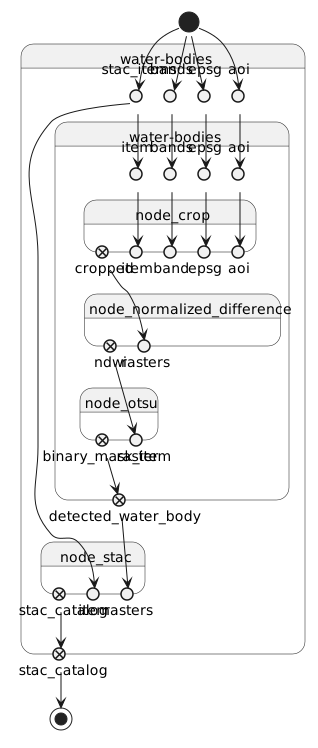
State diagram
Learn more about the State diagram below.
Run in step
node_water_bodies
detect_water_body
CWL Class
Requirements
Inputs
| Id | Type | Label | Doc |
|---|---|---|---|
aoi |
Polygon: | Area of interest | GeoJSON Polygon defining the area to crop; raster pixels outside the polygon are masked. |
epsg |
enum:
|
Coordinate reference system | EPSG code |
bands |
array of enum:
|
NDWI bands | bands used for the NDWI |
item |
URI:
|
STAC item | STAC item |
Steps
| Id | Runs | Label | Doc |
|---|---|---|---|
| node_crop | #crop |
Crop bands | Crop the selected bands to the area of interest. |
| node_normalized_difference | #norm_diff |
Compute NDWI | Compute the normalized difference water index from the cropped bands. |
| node_otsu | #otsu |
Detect water bodies | Apply the Otsu threshold to produce a binary water body mask. |
Outputs
| Id | Type | Label | Doc |
|---|---|---|---|
detected_water_body |
File | Detected water body | Binary raster mask produced by the nested water body detection workflow. |
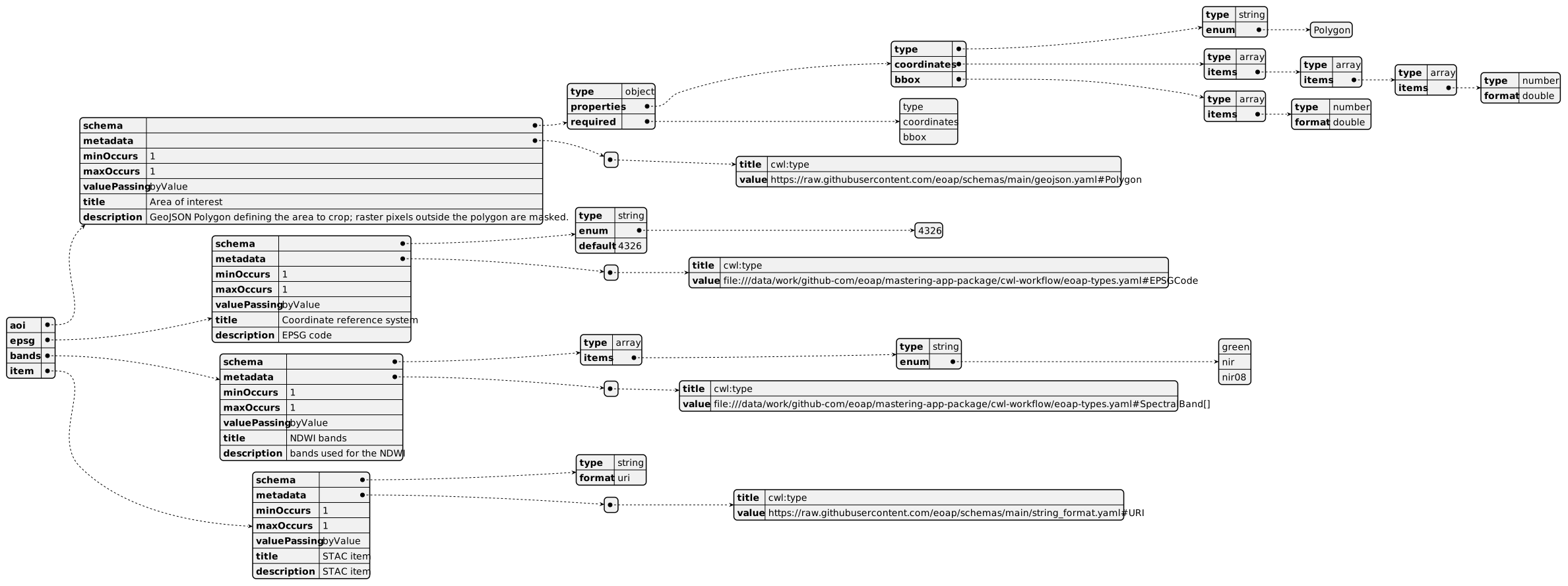
OGC API - Processes
When detect_water_body Workflow is exposed through OGC API - Processes - Part 1: Core, inputs and outputs fields below represent the interface of the getProcessDescription API.
Inputs
Outputs

UML Diagrams
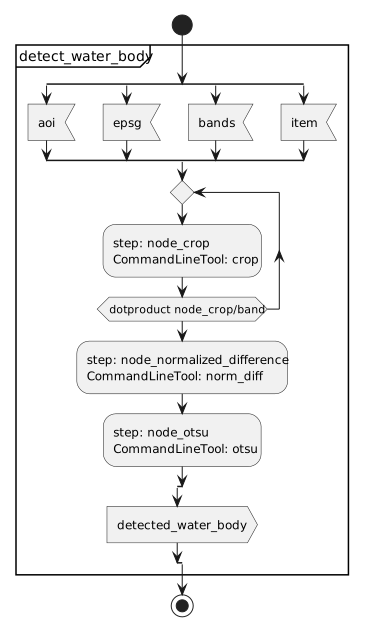
Activity diagram
Learn more about the Activity diagram below.
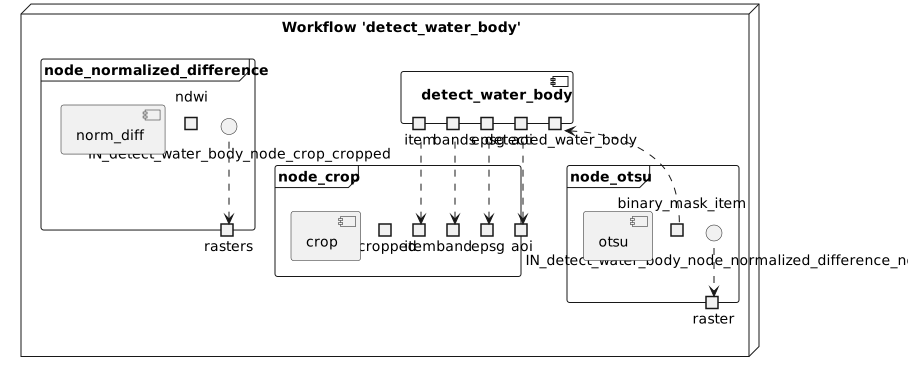
Component diagram
Learn more about the Component diagram below.
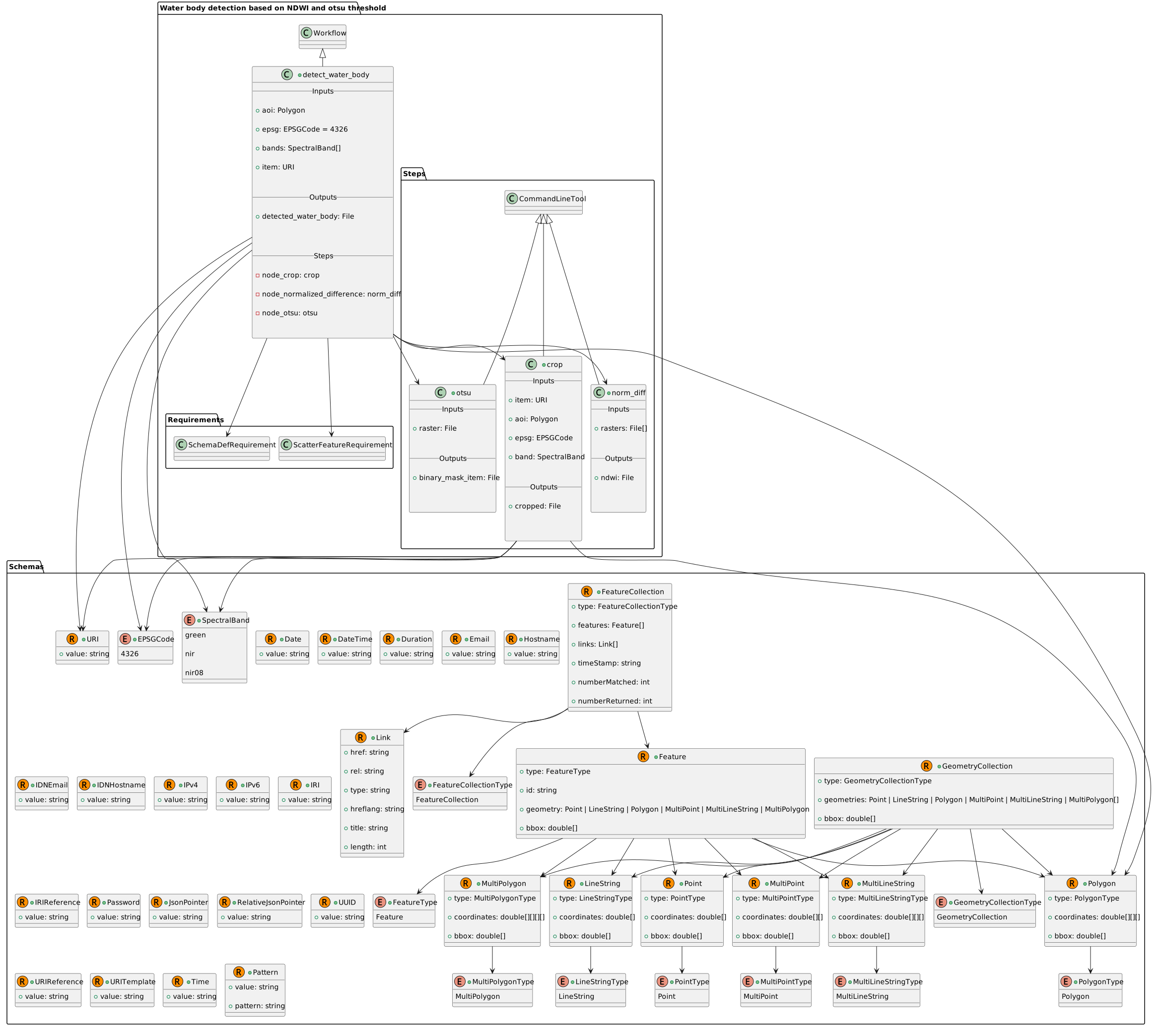
Class diagram
Learn more about the Class diagram below.
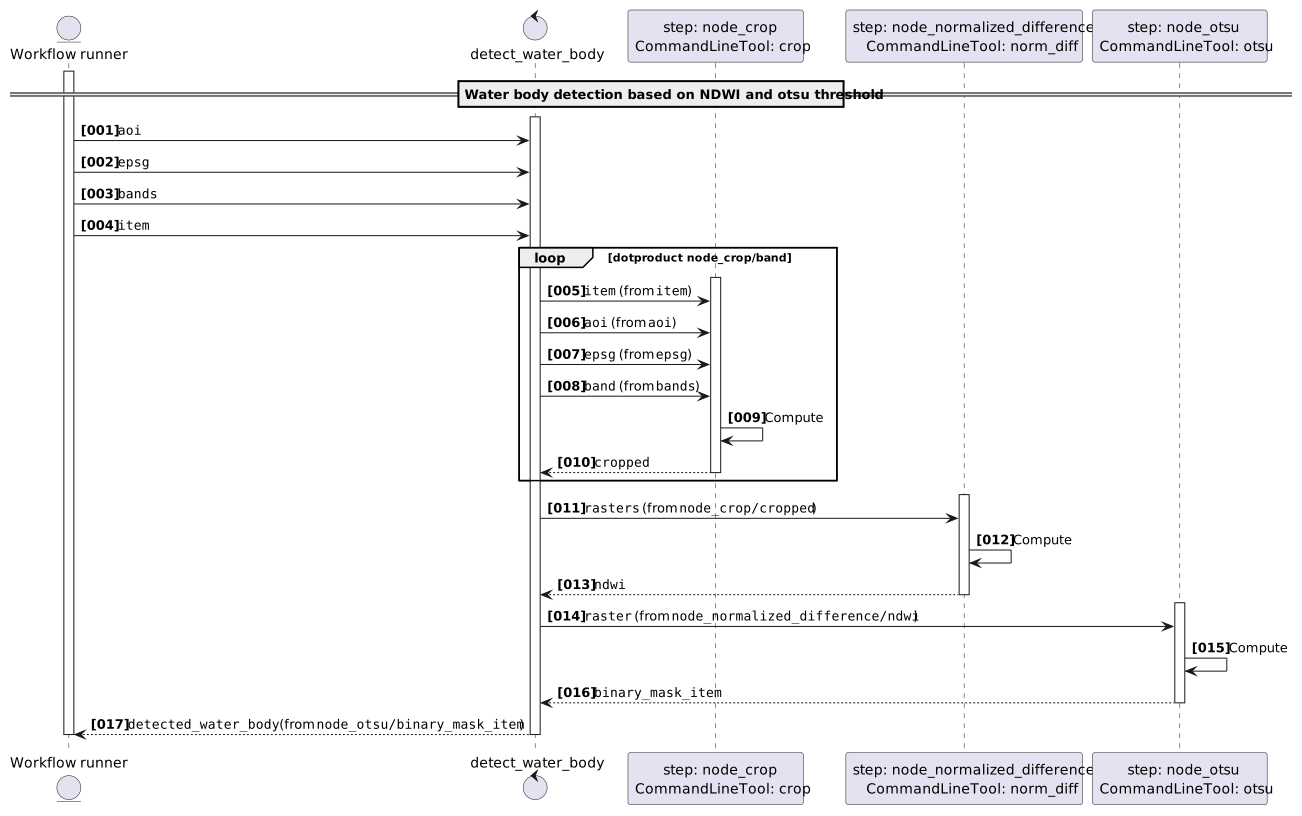
Sequence diagram
Learn more about the Sequence diagram below.
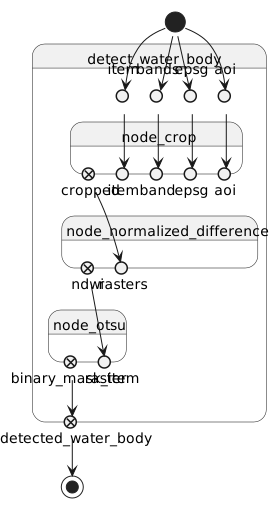
State diagram
Learn more about the State diagram below.
Run in step
node_crop
crop
CWL Class
Inputs
| Id | Option | Type |
|---|---|---|
item |
--input-item |
URI:
|
aoi |
--aoi |
Polygon: |
epsg |
--epsg |
enum:
|
band |
--band |
enum:
|
Execution usage example:
Run in step
node_normalized_difference
norm_diff
CWL Class
Inputs
| Id | Option | Type |
|---|---|---|
rasters |
--rasters |
array of File |
Execution usage example:
Run in step
node_otsu
otsu
CWL Class
Inputs
| Id | Option | Type |
|---|---|---|
raster |
--raster |
File |
Execution usage example:
Run in step
node_stac
stac
CWL Class
Inputs
| Id | Option | Type |
|---|---|---|
item |
--item |
array of URI:
|
rasters |
--rasters |
array of File |